


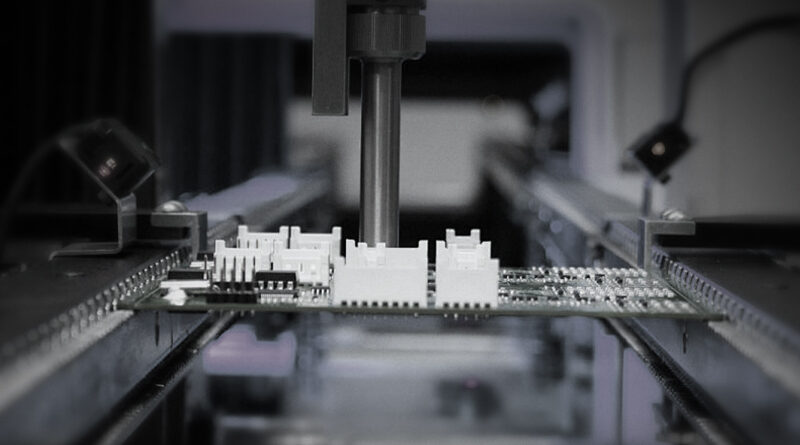
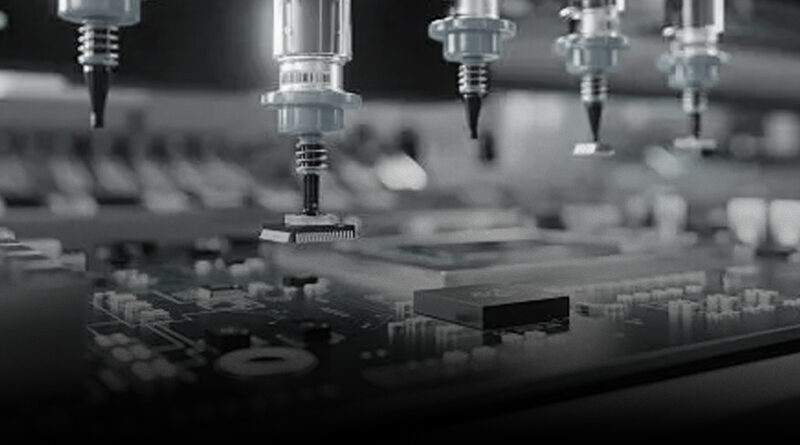
In the world of electronics prototyping, speed and accuracy are king. A prototype that goes from CAD to a functioning PCB quickly can dramatically shorten development cycles, validate ideas, and attract investors. At the center of this process is the pick and place (P&P) machine—a device that automates the precise placement of surface mount components onto the board before soldering. Whether you’re a startup founder, a design engineer, or a workshop tinkerer, choosing the right prototype-oriented pick and place system can be the difference between a stalled project and a rapid, repeatable build flow.
NECTEC positions itself as a premier destination for comprehensive SMT solutions. Our approach leverages a curated blend of global suppliers to deliver end-to-end support—from PCB handling and placing to soldering, printing, inspection, conformal coating, and a full range of peripheral consumables. This one-stop service model emphasizes strict quality control and a seamless customer journey. The following guide blends industry insights with practical guidance to help you select a prototype-friendly pick and place solution that aligns with NECTEC’s values: reliability, ease of use, scalability, and strong after-sales support.
What makes a pick and place machine suitable for prototypes?
Prototype boards often come with tight timelines, unusual or custom components, and the need for quick iteration cycles. A machine intended for prototyping should excel in several key areas:
- Flexibility: Ability to handle a broad range of components—from tiny 0402 and 0603 resistors to medium-sized connectors and ICs—with minimal reconfiguration.
- Board footprint tolerance: Consistent placement on boards of varying sizes, from compact 10×15 mm test coupons to larger 8×12 inch PCBs.
- Intelligent vision and alignment: Robust alignment using fiducials and optical recognition to compensate for PCB warping or board mis-registration.
- Software integration: Easy import of BOM and pick-and-place data from common EDA tools, plus offline programming and simulation to catch issues before placement.
- Ease of setup and maintenance: Straightforward feeder management, nozzle changes, and intuitive calibration procedures that don’t require dedicated technicians.
- Affordability and ROI: A favorable upfront cost paired with a quick payback through faster iterations and reduced manual placement time.
Desktop, benchtop, and compact systems: choosing the right footprint
Prototype work often benefits from a tiered approach to equipment footprint:
- Desktop or benchtop systems: Ideal for early-stage prototyping, small boards, and one-off builds. These machines emphasize simplicity, compactness, and lower capital expenditure. They typically support 0402–1206 components and offer basic vision alignment with manual or semi-automatic feeders.
- Compact production-style units: Suitable for small production runs and more complex boards. These machines balance speed and accuracy with a larger component range, better feeder infrastructure, and more robust software.
- Full-featured prototype lines: For teams that run frequent iterations and require high throughput, multiple heads, advanced vision, automatic nozzle swapping, and integrated inspection. These systems are more expensive but dramatically reduce cycle times for frequent builds.
Core components to look for in a prototype P&P machine
To maximize prototype productivity, inspect the following elements when evaluating options:
- Vision system: A strong camera setup with high-resolution imaging, multi-spot alignment, and the ability to recognize fiducials and component markings. Vision plays a critical role in first-article boards and boards with odd or misaligned leads.
- Feeder ecosystem: A reliable feeder bank that supports common SMT packages (0201, 0402, 0603, 0805, 1206, and occasionally larger components). Look for modular feeders with quick-coupling, easy replenishment, and compatibility with a broad range of component types.
- Nozzle assortment and Z-axis control: A variety of nozzles (for fine-pitch, large-lead, and odd-shaped components) and precise Z-axis control to accommodate different solder paste heights and surface variations.
- Placement accuracy and repeatability: Specifications such as placement accuracy in millimeters or microns, along with automatic calibration routines that reduce drift across sessions.
- Software and data compatibility: The ability to import placement data from popular EDA tools (Altium, KiCad, Eagle, OrCAD), along with BOM-driven job creation, feeder mapping, and offline programming for board fixtures not easily captured by live cameras.
- Inline inspection and soldering readiness: A clear path from placement to reflow soldering, whether through integrated reflow modules or a reliable workflow for external reflow ovens.
- Walk-away reclaim and misplacement handling: Mechanisms to catch dropped components or misaligned placements and recover gracefully without damaging boards or nozzles.
Workflow fundamentals: from design to prototype
A smooth prototype workflow reduces bottlenecks and minimizes rework. Here’s a practical blueprint you can adopt, whether you’re building a wearable device, a sensor array, or a proof-of-concept module:
- Data preparation: Prepare your Gerber files, BOM, and Pick-and-Place (PnP) data. Ensure footprints and land patterns are up to date, and confirm that your board outline is accurate for the machine’s fiducial and inspection system.
- Board setup and calibration: Calibrate the nozzle height, verify nozzle-to-board alignment, and run a focus check for the camera system. Calibrate feeders to ensure correct component orientation and placement height.
- Feeder loading and tape management: Load feeders with components in the correct orientation, verify tape-and-reel or tray formats, and align the feeder spacing with the board size.
- Offline programming and simulation: Use offline programming to verify placement sequences, avoid collisions, and test sweeps across rows of components. Run a virtual placement to catch errors before touching real boards.
- First article and test placements: Start with a simple board to validate alignment and paste height. Check that 0402 and 0603 components sit flat and that larger ICs align with fiducials.
- Reflow soldering and inspection: Move from placement to soldering via reflow. Plan for automatic optical inspection (AOI) or X-ray checks for solder joint quality, especially for higher-density layouts.
- Data capture and traceability: Record job data, calibration values, and board-specific notes for future iterations. Create a knowledge base to accelerate subsequent builds.
Two real-world paths for prototyping with a pick and place
Two pragmatic paths reflect different team capabilities and budgets:
- Path A: Low-cost, high-learning curve: A compact desktop P&P system with basic vision, a modest feeder bank, and straightforward software. This is ideal for early-stage prototypes, hobbyists, and small startups testing concepts. Expect slower throughput but a fast learning curve and quick ROI once you validate the concept.
- Path B: Mid-range, scalable workflow: A compact-to-compact-plus system with expanded feeder options, better alignment accuracy, and more robust software. This path supports more complex boards and faster iteration, making it suitable for teams transitioning from concept to near-production prototypes.
Case study: prototype wearable device PCB
A small startup focused on a wearable health monitor faced a common challenge: turning a complex PCB with a mix of 0402 passive components, a 1.0 mm pitch connector, and a few mid-size ICs into a working prototype within four weeks. They chose a compact prototype P&P setup from a reputable supplier, paired with a reliable soldering process and inline inspection. The setup included:
- Board size: 60 × 70 mm
- Component range: 0402–1206, 1.0 mm pitch connectors, 8–10 ICs
- Vision: High-resolution camera with fiducial recognition
- Feeders: 10–12 high-capacity feeders with mix of tapes and trays
- Nozzles: A set of fine-pitch nozzles and quarter-ounce polymer nozzles for larger ICs
- Software: Import from KiCad, BOM-driven placement, off-line simulation
- Workflow: Day 1–2 board preparation and calibration; Day 3–4 test placements and rework; Day 5 final assemblies for initial testing
The result was a reliable, repeatable, and learnable process. The team reduced manual placement time by 60–70% and achieved consistent solder joints on the pilot boards, enabling real-world testing and rapid iteration.
Tips for successful prototype builds with a P&P machine
Consider the following practical recommendations to maximize the effectiveness of your prototype workflow:
- Plan for the unknown: Prototyping often involves unfamiliar components. Favor machines with broader component support and robust vision to handle nonstandard parts.
- Invest in a strong data pipeline: A BOM-driven workflow reduces human error and speeds up job setup. Ensure your software can automatically map components to feeders and nozzles.
- Calibrate early and often: Regular calibration reduces drift and misalignment. Create a weekly calibration routine that covers nozzle height, alignment, and feeder indexing.
- Quality control is a design decision: Integrate AOI or SPI checks after soldering. Catching issues early saves time and cost on rework.
- Future-proof your investment: Choose a system that can scale with your roadmap. For example, a modular feeder upgrade path and software updates can extend the life of your equipment as your prototyping needs evolve.
Maintenance, upgrade paths, and support
Prototype environments require reliable hardware and solid support. When evaluating vendors, consider:
- Spare parts availability: Timely access to nozzles, feeders, and replacement parts reduces downtime.
- Software longevity and updates: Regular software improvements, bug fixes, and compatibility with current EDA tools are essential for maintaining productivity.
- On-site and remote support: Quick response times, remote diagnostics, and an approachable service model help you stay productive.
- Training and knowledge transfer: Comprehensive onboarding, user manuals, and practical workshops empower your team to maximize the machine’s potential.
The NECTEC advantage for prototype P&P projects
NECTEC brings a holistic perspective to the prototype space. Our one-stop service connects you with leading suppliers to deliver every step of the smoking-hot prototype pipeline, including PCB handling, placing, soldering, printing, inspection, conformal coating, and a broad family of consumables. This integrated approach reduces friction, shortens procurement cycles, and ensures consistent quality across prototypes and small runs. In addition, our pre-sales team is available 24/16 to help you overcome purchasing barriers and tailor solutions to your exact prototyping needs. After the sale, our post-sales support focuses on sustaining performance and driving continuous improvement across your production line.
Practical start-up blueprint: your first 10 days
For teams eager to begin prototyping without delay, here is a pragmatic 10-day plan:
- <strongDay 1–2: Define board size, component mix, and target throughput. Gather the BOM and CAD files. Confirm availability of essential components and feeders.
- Day 3–4: Install and calibrate the P&P machine. Load initial feeders and verify alignment with fiducials. Run a dry run with no components to check motion paths.
- Day 5–6: Place a simple board (few components) to validate basic operation. Tune nozzle heights and verify placement accuracy against expected tolerances.
- Day 7–8: Introduce more complex components (tiny resistors, connectors) and test the software’s offline programming capability. Check for misplacements and adjust as needed.
- Day 9–10: Produce a full prototype board, solder, inspect, and document any deviations. Create a feedback loop to inform design changes and component placement strategies.
Alternative formats: how to present P&P results to stakeholders
Different audiences respond to different presentation styles. Here are a few formats to convey prototype progress effectively:
- <strongExecutive brief: A one-page summary with placement accuracy, lead times, and major risks.
- Technical report: A detailed write-up covering BOM, P&P data, calibration steps, and solder joint observations.
- Demo video: A short clip highlighting board assembly, live camera alignment, and a quick functional test.
The future of prototype P&P in a compact ecosystem
As the electronics industry continues to embrace miniature, feature-rich devices, prototype P&P machines will become more autonomous and capable. Trends to watch include:
- Advanced machine vision and AI-assisted placement: Smarter recognition of components, automatic optimization of placement sequences, and reduced reliance on manual tweaking.
- Modular hardware: Swappable head configurations, dynamic feeder arrays, and plug-in upgrade kits that extend machine capabilities without replacing the whole system.
- Integrated inspection and traceability: Real-time AOI data linked to your BOM and design revisions, enabling traceable prototypes and faster design closure.
- Energy efficiency and compact form factors: Smaller footprints without sacrificing performance, appealing to labs and workshops with space constraints.
What to do next: make an informed choice
When you’re ready to move from planning to procurement, consider the following decision aids:
- <strongDefine your use case: Are you prototyping wearable devices, consumer electronics, or industrial sensors? The board size, component mix, and required throughput will guide your choice.
- <strongSet a budget with ROI in mind: Calculate the time saved per prototype, the number of boards per month, and the long-term savings from reduced manual work.
- <strongCheck integration: Confirm compatibility with your existing design tools, soldering process, and inspection workflow to avoid integration bottlenecks.
- <strongAsk about support: Inquire about remote diagnostics, spare parts availability, and training options to maximize uptime.
With NECTEC’s commitment to quality and our network of global suppliers, a prototype-focused pick and place solution can become a reliable backbone for your development workflow. The goal is not merely to place components but to create a repeatable, auditable, and scalable proto-production process that accelerates your timeline from concept to tested hardware.
Next steps: Talk to NECTEC’s team to map your prototype goals to a tailored P&P setup. We’ll align your board size, component mix, and production cadence with the most suitable solution, including ongoing support and access to spare parts and consumables.