


In today’s compact electronics landscape, small teams, makerspaces, startups, and educational labs increasingly rely on entry-level pick and place (PnP) machines to move from manual assembly to repeatable, efficient manufacturing. These desktop or tabletop systems offer a doorway into modern surface mount technology (SMT) without the cost and footprint of full production lines. If you’re evaluating your first PnP solution, you’re likely balancing footprint, cost, ease of use, and reliability. This guide is designed to help you understand what an entry-level pick and place machine is capable of, what to look for when you shop, and how to plan a practical workflow that yields consistent results while protecting your budget. At NECTEC, we position ourselves as a one-stop provider of SMT solutions, connecting you to trusted suppliers and offering tailored pre- and post-sales support to ensure you get the best possible setup for your operation.
What is a pick and place machine, and why start with an entry-level model?
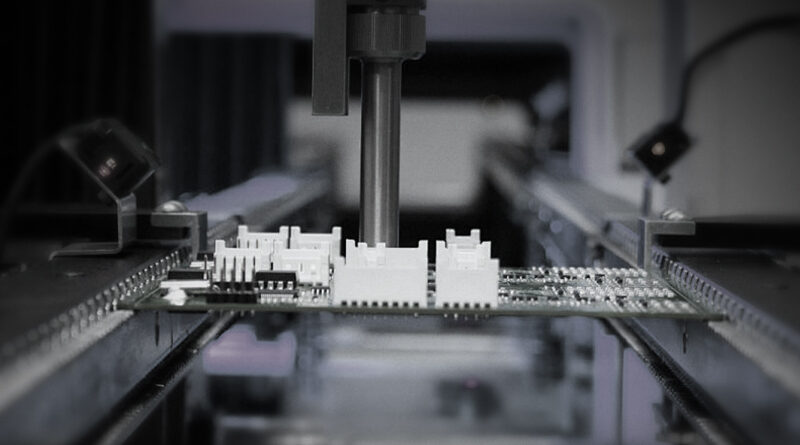
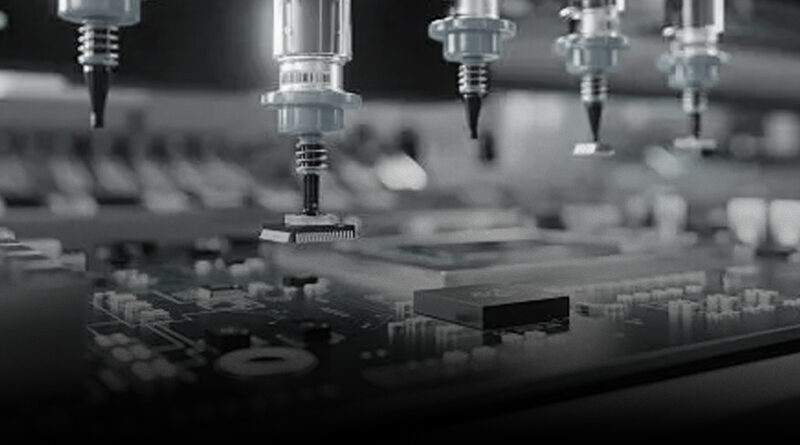
A pick and place machine is a robotic system that automatically picks up surface-mount components from feeder strips or trays and places them onto a printed circuit board (PCB) with precise X, Y, and Z positioning. The process is synchronized with a solder paste deposition step and a subsequent reflow soldering stage to create a complete circuit. Entry-level PnP machines are designed for small to medium-volume tasks, single or double-sided boards, and component ranges that emphasize common passives (1k, 10k, 0805, 0603, and a growing number of 0402 sizes) and standard LEDs or integrated circuits. They are particularly attractive for individuals transitioning from hand-assembly, hobbyists expanding into small projects, educational labs teaching SMT fundamentals, or startups validating product concepts before committing to larger equipment. While they won’t match high-throughput production lines in speed or feeder capacity, they provide predictable placement accuracy, quiet operation, and a much faster throughput than manual labor while remaining within a reasonable purchase price and physical footprint.
Who should consider an entry-level model?
Here are common profiles of buyers who benefit most from entry-level PnP machines:
- Hobbyists and makers who want repeatable results for small prototyping runs or limited production.
- Startup teams validating hardware concepts and iterating PCBs quickly without the overhead of a full factory line.
- Educational institutions and makerspaces teaching SMT concepts and hands-on manufacturing workflows.
- Small workshops or contract manufacturers handling light assembly volumes where a traditional full-size line would be underutilized.
- Engineering groups seeking to move from hand-placed parts to automated assembly to improve consistency and reduce manual fatigue.
Choosing an entry-level model is not about chasing the most features; it’s about aligning capabilities with your actual needs. You’ll want enough feeders and placement heads to handle your board sizes, a reliable vision or alignment system, and an intuitive software interface that minimizes the learning curve for your team. It’s also important to factor in expansion potential: some entry-level machines offer upgrade paths (additional heads, more nozzles, or more feeders) so you can scale as your volumes grow.
Key features to look for in an entry-level machine
When evaluating options, keep a checklist of essential capabilities and practical considerations. The right combination will depend on your typical PCB size, component mix, and desired cycle time.
- Placement area and board size support: The maximum PCB dimensions the machine can handle, including any board thickness limitations. If you anticipate occasional larger boards, ensure the model supports those dimensions or offers a modular extension.
- Feeder count and organization: Entry-level systems often come with 10–40 feeders, arranged on a circular or linear feeder rack. More feeders reduce the frequency of reel changes and improve uptime for small runs.
- Component range and nozzle options: Compatibility with common passive components (0603, 0402, 0201 as you scale) and a set of vacuum nozzles suitable for a spectrum of part sizes. Consider nozzle availability and ease of replacement.
- Vision and alignment: A reliable vision system is critical for correct part orientation and placement accuracy. Look for built-in cameras, alignment marks, and simple calibration procedures. Some systems use optical recognition to compensate for PCB misalignment, while others rely on fiducial-based alignment.
- Placement accuracy and repeatability: Claimed X/Y/Z tolerances help predict yield, especially for tight-tolerance components. Real-world consistency matters more than peak spec on a data sheet.
- Software usability: The control software should be intuitive, with clear jog controls, feed setup, and simple board-edit capabilities. A good software workflow minimizes setup time between boards and reduces user error.
- Ease of maintenance: Simple cleaning procedures, modular components, and accessible spare parts shorten downtime if you ever have a problem on the shop floor.
- Ventilation, power, and noise: Compact machines often run quietly enough for shared spaces, but you should understand their electrical requirements and any cooling needs, especially in warmer environments.
- Integration and data logging: Basic status logs, firmware update paths, and remote diagnostics help you maintain performance and plan preventive maintenance.
Popular entry-level models and what makes them appealing
Across the market, several entry-level lines have become common starting points for new SMT operations. The exact model you choose will depend on availability in your region, service support, and the specific components you plan to assemble. Notable themes include compact footprints, plug-and-play feeder integration, and user-friendly interfaces that emphasize quick learning curves. A few widely discussed options include tabletop machines from established SMT vendors and newer, cost-conscious brands. A well-regarded example in this space is the Neoden YY1, which is often highlighted as an affordable, portable PnP solution suitable for laboratories and small shops transitioning from manual placement. Other brands in the same tier emphasize modularity, where you can start with a modest feeder set and add extra heads or feeders as your project scope grows. Regardless of brand, the core idea is to deliver accuracy and repeatability without the complexity of traditional production equipment. If you’re evaluating several models, create a short list of must-haves (for example, 6–12 feeders, 0201 compatibility, and a robust vision system) and an aspirational wishlist (for instance, 32 feeders and 0402 capability) to guide your comparisons.
How to evaluate specifications like a pro
Spec sheets can be dense. Use a practical framework to compare machines side by side and translate numbers into real-world outcomes.
- PCB size and project scope: Estimate the largest board you’ll place regularly. If boards reach 180 x 120 mm or larger, verify the machine accommodates those sizes routinely, not just occasionally. Consider whether you need single- or double-sided placement, and whether the system handles double-sided boards in a single run or requires flipping.
- Feeders and part range: Count how many feeders come standard and how easily you can add more. Consider the common components you use (cement 0805 vs 0603, LED 0802 or 1206) and whether the machine supports fine-pitch parts like 0402 or 0201. Check the availability of compatible nozzles and whether you can swap them quickly without tools.
- Vision system quality: A strong vision system reduces mispicks and misalignments. Look for features such as fiducial alignment, part orientation detection, and the ability to recognize and correct for rotated or reversed parts in real time.
- Placement accuracy and repeatability: Ask for real-world placement tolerances under typical shop conditions. If possible, request a small test run on your own boards or a similar demo board to observe results firsthand.
- Throughput and cycle time: Translate the cycle time into daily output given your run length and shift patterns. A faster machine is appealing, but only if it delivers reliable results across a typical production day.
- Software ecosystem: A friendly software interface can dramatically reduce setup time. Look for features like board library support, automated alignment workflows, and clear error messaging when something goes wrong.
- Maintenance and parts availability: Confirm how easy it is to source spare parts and replacement nozzles, and whether service videos or remote support are part of the package.
- Total cost of ownership: List the purchase price, annual maintenance (if any), spare parts, replacement nozzles, and potential expansion costs to compare long-term value across models.
Setting up your first run: a practical workflow
Once you choose an entry-level PnP machine, the first run is always the most important learning moment. A well-structured setup reduces waste and accelerates the ramp to reliable productions. Here’s a practical, beginner-friendly workflow that aligns with what you’ll typically do in many shops:
- Workspace preparation: Clear the workstation and ensure stable power supply, a clean bench, and adequate lighting. Place a calibrated test PCB or a simple, familiar board on the PCB area. Level the machine according to the manufacturer’s procedure so that there is no tilt that could affect placement accuracy.
- Feeder setup: Install the feeders you plan to use for the first run. Ensure components are oriented correctly in the reels, and verify feeder spacing is compatible with your board layout. For many beginners, starting with a modest set of 10–20 feeders allows you to practice core placements without overwhelming the workflow.
- Nozzle selection and calibration: Attach the appropriate nozzles for the components on the test board. Run the nozzle calibration routine to ensure the vacuum is consistent and that the nozzle picks match the expected part size. Replace any worn or damaged nozzles before doing a production run.
- Solder paste alignment prep (if you’re using a stencil and printer in this workflow): Confirm that the stencil aligns with the board and that paste deposits replicate your usual paste volume. If you’re using a separate paste printer, ensure the alignment marks on the PCB serve as reliable references for the alignment system of the PnP machine.
- Placement program setup: Create a board library entry for your PCB, or import an existing library. Define the fiducials (if the machine uses them), set the placement coordinates for each component, and assign the correct nozzle and feeder. Validate that the part orientation is correct and that the machine will place components in the intended orientation on the board.
- First-run simulation and dry run: If the software supports it, run a dry placement simulation to catch potential collisions with other components or with the board edges. This can catch issues before you place any real parts and helps you refine pick-and-place coordinates.
- Actual placement test: Load a small subset of parts, place a test board, and review the placement results. Check alignment against the silkscreen or board marks, verify rotated components, and inspect any misalignments with a magnification aid or simple microscope.
- Inspection and acceptance: After placing all test components, use a basic inspection method to confirm that decals or fiducials align. If you have access to inline optical inspection or a post-reflow inspection step, compare the results with your expected outcomes and adjust the program as needed.
As you perform the first runs, keep a log of any misplacements, missing components, or alignment drift, and use that data to tune the feeder offsets and part orientation settings. A key advantage of entry-level systems is that small improvements in alignment settings can yield outsized gains in yield across many boards.
Common pitfalls and how to avoid them
Starting with a new PnP system comes with a learning curve. Being aware of typical mistakes helps you avoid wasting materials and time.
- Underestimating reflective or misoriented components: Some reflective parts or tiny 0603/R0402 components can be hard to pick up reliably. Ensure your nozzle selection and vacuum are appropriate and consider a lubricant-free pick-up routine for brittle parts.
- Ignoring board fiducials and alignment drift: If you’re relying on a fiducial-based alignment, even slight misalignment can cascade into placement errors for multiple components. Calibrate fiducials thoroughly and recheck alignment after your first few boards.
- Overloading feeders: Adding too many feeders in the early stage can complicate the workflow and increase the risk of misfeeds. Start with the essential components and expand feeders gradually as your run profiles stabilize.
- Inadequate access to support: If your supplier offers limited training or service, you may experience longer downtimes. Choose a vendor that provides robust training resources and responsive support channels.
- Poor paste deposition alignment: In a complete SMT line, paste deposition and placement must work in harmony. If your paste printing tolerance is large, you’ll see poor solder joints even if the placement is accurate. Coordinate paste deposition with your PnP settings and reflow profile for best results.
Cost considerations and total cost of ownership
While the upfront price of an entry-level pick and place machine is a major factor, the long-term total cost of ownership (TCO) matters just as much. The TCO includes the initial purchase price, consumables, spare parts, refurbishment or upgrade costs, and ongoing maintenance. Here are key cost components to factor in as you compare options:
- Machine price: Entry-level machines typically fall within a range that fits small budgets but may vary based on included feeders, software features, and support packages. Look for bundles that provide a reasonable number of feeders out of the box and an optional upgrade path.
- Feeder and nozzle consumables: You’ll eventually replace nozzles and buy additional feeders. Keep a rough annual budget for spare nozzles and feeder spares, especially if you’re deploying the machine in a classroom or shared workshop where parts see heavier use.
- Software updates and licensing: Some vendors require periodic software licenses or subscription fees for advanced features or cloud-based diagnostics. Estimate these recurring costs and compare them across vendors.
- Maintenance and service: Some suppliers offer optional onsite service or remote diagnostics. Consider whether you’ll do routine maintenance in-house or lean on vendor support for critical updates or repairs.
- Training and onboarding: Factor in the time and potential cost of training for staff. A more intuitive interface can reduce training hours and shorten the ramp to full productivity.
Another often overlooked factor is the cost of power, workspace requirements, and environmental considerations. A compact entry-level machine should fit into a typical lab bench or small workshop space, but you’ll want to ensure there’s enough clearance for feeders, boards, and operators moving around the unit. If you’re planning a future expansion, confirm whether the vendor offers upgrade paths that preserve the investment you’ve already made, rather than forcing a full replacement when volumes grow.
Integrating an entry-level PnP machine into your workflow
The value of an entry-level pick and place system increases when it is integrated smoothly with the rest of your SMT workflow. Consider how this piece of equipment communicates with the other steps in your production line and how you’ll manage data across the process. A typical integrated SMT workflow looks like this:
- PCB printing: A stencil printer deposits solder paste onto the PCB pads with controlled volume and stencil alignment. Accurate paste printing reduces the burden on the placement step and improves overall solder joint quality.
- Component shelving and feeding: Feeders present components in an organized way so the PnP machine can pick parts quickly during placement. A consistent feeder layout reduces changeover times between boards and helps maintain an efficient cadence.
- Placement and alignment: The PnP machine places components according to the board’s PCB design and library data, using vision cues and the deterministic coordinates you’ve defined. Operators often inspect the board to confirm the orientation and position before the board goes to reflow.
- Reflow and inspection: After placement, boards pass through a reflow oven, where surface tension and solder wetting create robust joints. Post-reflow inspection—either manual or automated—helps identify any placement errors that went undetected earlier in the process.
- Outfeed and QA: Finally, boards are tested for functional correctness, aesthetics, and solder integrity. Data from inspection can loop back to fixtures, enabling continuous improvement of the library and placement parameters.
To maximize throughput and reduce scrap, it helps to align board design with your machine’s capabilities. For example, choosing boards with standard pad spacing and fiducial references makes alignment easier. If your project introduces more complex boards later, you’ll appreciate the option to upgrade your PnP machine surgically with additional feeders or a higher-precision placement head rather than replacing the entire system.
Component handling and assembly hygiene for beginners
Even with automation, some hands-on discipline improves outcomes. Here are practical practices that help beginners maintain quality and reduce waste:
- Component handling: Use tweezers, a low-arc lighting setup, and an anti-static workspace to minimize human-induced defects. Avoid touching component leads with bare hands or exposing them to moisture and oils that can affect solderability.
- ESD awareness: SMT components can be sensitive to electrostatic discharge. Ground work surfaces, wear anti-static wrist straps, and keep the desktop clean and dry.
- Environment control: Temperature and humidity influence soldering performance. Maintain a stable environment to achieve consistent solder joints and predictable paste behavior.
- PCB prep and cleanliness: Ensure boards are free from dust, oils, and residues. A simple wipe-down with isopropyl alcohol can prevent contamination that affects adhesion and solderability.
- Inspection discipline: A well-structured check sheet helps operators catch issues early and ensures process consistency. Document recurring issues and adjust the program to avoid repetition in future boards.
What NECTEC offers: a one-stop SMT partner
NECTEC positions itself as a premier destination for comprehensive SMT solutions. We connect you with globally trusted suppliers to cover the full spectrum of your PCB assembly needs, including PCB handling, placing, soldering, printing, inspection, conformal coating, and a broad range of peripheral consumables. Our approach emphasizes strict quality control at every stage of production and a customer-centric service model. The pre-sales team is available to assist you with purchasing decisions, helping you select the right entry-level PnP machine and compatible accessories, while after-sales support is designed to maintain and enhance your satisfaction with ongoing technical guidance, access to spare parts, and timely firmware or software updates. By choosing a one-stop provider like NECTEC, you can reduce the friction commonly associated with building a new SMT workflow and accelerate your time-to-first-board.
Real-world success with entry-level PnP often hinges on careful planning, test runs, and a gradual expansion of capabilities as your volumes grow. Start with the core board family you plan to assemble, identify a practical initial feeder set, and confirm your alignment and soldering workflow before scaling. A well-chosen machine, combined with a thoughtful workflow and reliable support, can transform a learning operation into a resilient, repeatable production environment that supports product iterations, prototypes, and even limited production runs.
As you chart your path, remember that the investment is not only in hardware but also in knowledge, processes, and partnerships. The right partner can shorten your learning curve and help you realize the benefits of SMT automation—faster iteration cycles, fewer manual errors, and higher-quality assemblies—without overextending your budget. Whether you’re evaluating an entry-level Neoden YY1-style tabletop solution, a compact desk-friendly system from another trusted vendor, or a modular setup that you plan to grow, the most important step is to align the tool with your real-world needs. With clear goals, robust training resources, and dependable support, you can unlock productive SMT workflow from day one and continue to improve as your project scales.